Con el siguiente trámite podrás solicitar la conexión de energía eléctrica en tu vivienda, considerada modesta. Para ello, deberás cumplir con las siguientes características:

function resizeIFrameToFitContent(iFrame) { iFrame.height = iFrame.contentWindow.document.body.scrollHeight + "px"; } function hideSpinnerInDiv(iframe, div){ if(iframe.contentWindow.document.body.innerHTML!='') document.getElementById(div).style.display = "none"; }; document.addEventListener("complete", function(){ //var iFrame = document.getElementById('simulador'); // resizeIFrameToFitContent(iFrame); var iFrame = document.getElementById(elementSelected); resizeIFrameToFitContent(iFrame); }, false); (function(funcName, baseObj) {
function resizeIFrameToFitContent(iFrame) { iFrame.height = iFrame.contentWindow.document.body.scrollHeight + "px"; } function hideSpinnerInDiv(iframe, div){ if(iframe.contentWindow.document.body.innerHTML!='') document.getElementById(div).style.display = "none"; }; function hideSpinnerCuotaFija(iframe, div){ if(iframe.contentWindow.document.body.innerHTML!='') { document.getElementById(div).style.display = "none"; iframe.style.display = ""; } } document.addEventListener("complete", function(){ var iFrame = docum

29/10/2026 ¿Cómo visualizas el consumo de Reactiva Q4?

Con estos simples pasos, puedes visualizar tu consumo quinceminutal de Reactiva Q4:

  • Ingresa en Servicios en Línea con tu usuario y contraseña.
  • Si posees más de un servicio, elige cual deseas observar.
  • Una vez dentro, ve hacia el botón “Curva de Consumo Potencia Máxima” y haz clic.
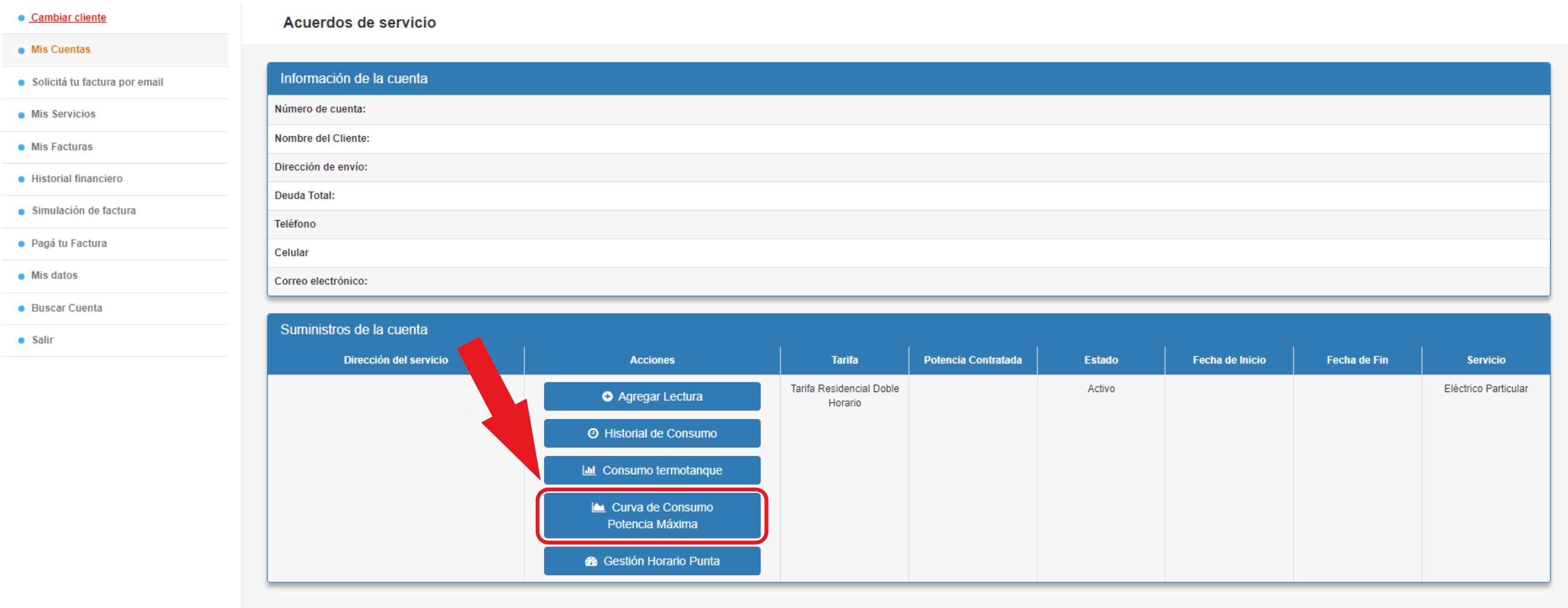
Ir a Curva de consumo potencia máxima


  • Ingresa el período a visualizar: Período desde – Período hasta.
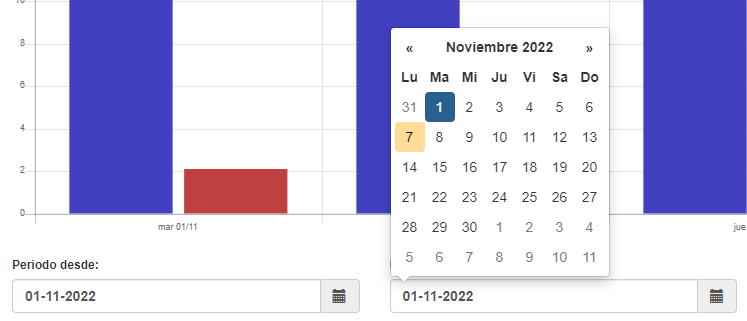
 

Elegir período


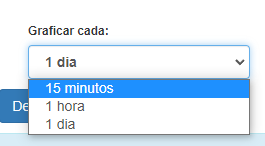
  • Opta por graficar cada 15 minutos.

Optar por 15 minutos


  • Elige la magnitud: “Energía Reactiva Q4”.
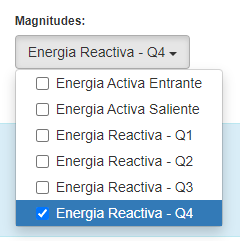
elegir magnitud reactiva q4


  • Haz clic en Graficar.

Luego de unos segundos podrás ver la gráfica del consumo y más abajo una descripción de las variantes registradas en la gráfica.
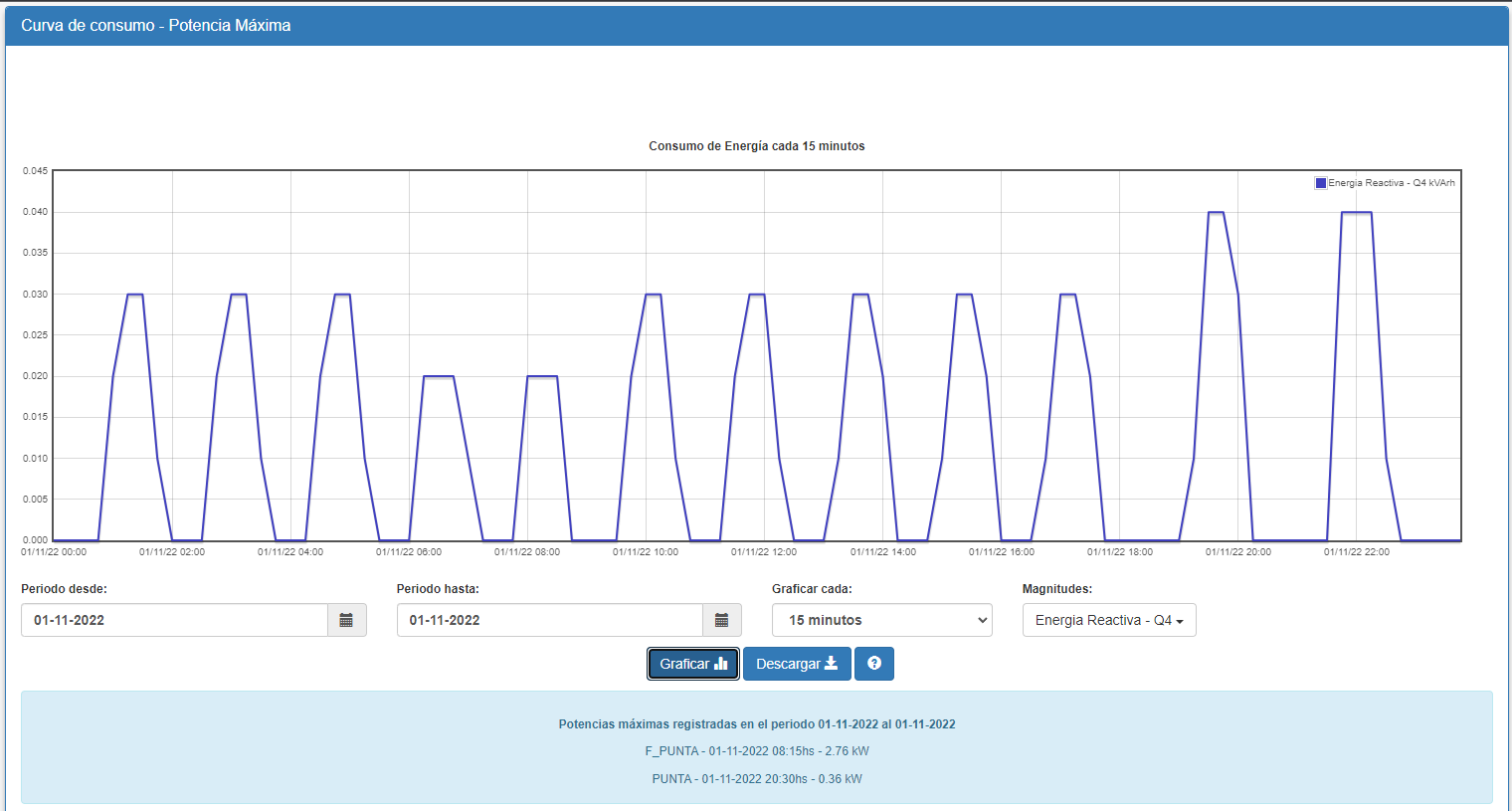
visualización de gráfica


  • Haz clic en Descargar para abrir los datos en un archivo Excel. 


Off
Off
Off
function resizeIFrameToFitContent(iFrame) { iFrame.height = iFrame.contentWindow.document.body.scrollHeight + "px"; } document.addEventListener("complete", function(){ var iFrame = document.getElementById('simulador'); resizeIFrameToFitContent(iFrame); }, false); (function(funcName, baseObj) { // The public function name defaults to window.docReady // but you can pass in your own object and own function name and those will be used // if you want to put them in a different namespace funcName = funcName || "docReady"; baseObj = baseObj || window
function resizeIFrameToFitContent(iFrame) { iFrame.height = iFrame.contentWindow.document.body.scrollHeight + "px"; } function hideSpinnerInDiv(iframe, div){ if(iframe.contentWindow.document.body.innerHTML!='') document.getElementById(div).style.display = "none"; }; document.addEventListener("complete", function(){ var iFrame = document.getElementById('simulador'); resizeIFrameToFitContent(iFrame); }, false); (function(funcName, baseObj) { // The public function name defaults to window.docReady // but you can pass in your own object

Estimado cliente:

Serás derivado a un formulario de Google. Completarlo te llevará menos de 2 minutos.

(function(funcName, baseObj) { // The public function name defaults to window.docReady // but you can pass in your own object and own function name and those will be used // if you want to put them in a different namespace funcName = funcName || "docReady"; baseObj = baseObj || window; var readyList = []; var readyFired = false; var readyEventHandlersInstalled = false; // call this when the document is ready // this function protects itself against being called more than once

function resizeIFrameToFitContent(iFrame) { iFrame.height = iFrame.contentWindow.document.body.scrollHeight + "px"; } function hideSpinnerInDiv(iframe, div){ if(iframe.contentWindow.document.body.innerHTML!='') document.getElementById(div).style.display = "none"; }; document.addEventListener("complete", function(){ var iFrame = document.getElementById('cambioTarifa'); resizeIFrameToFitContent(iFrame); }, false); (function(funcName, baseObj) { // The public function name defaults to window.docReady // but you can pass in your own obj
Suscribirse a Clientes (CLI)